
I have been using NxStage for home hemodialysis for over eight years, and it has become second nature for my wife and I. About a month ago my dialysis center informed me that I would no longer have to complete flow sheets, and that NxStage was providing an automated solution for them.
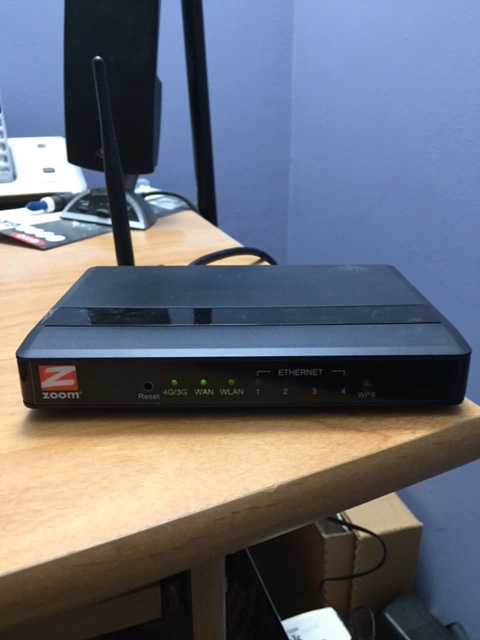
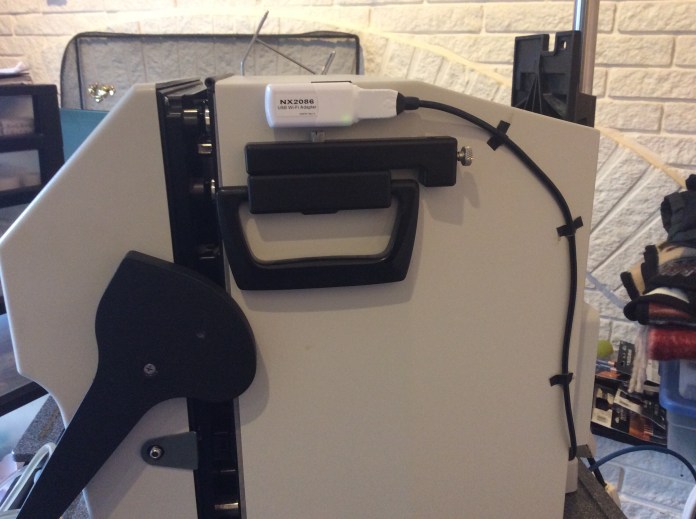
About a week ago I received a shipment from NxStage and the box contained a new router, a USB pen drive and a wireless device that connects to the cycler Conxbox.
The router requires a high speed Internet connection, and is simply plugged into my existing home router for a access to the Internet. An Ethernet cable was also provided for the connection to my home router.
The USB is used to update the software on the cycler’s ConXbox. It is simply plugged into that device to complete the software update, it took about five minutes. After it is updated, then the wireless device is plugged into any of the USB ports on the ConXbox.
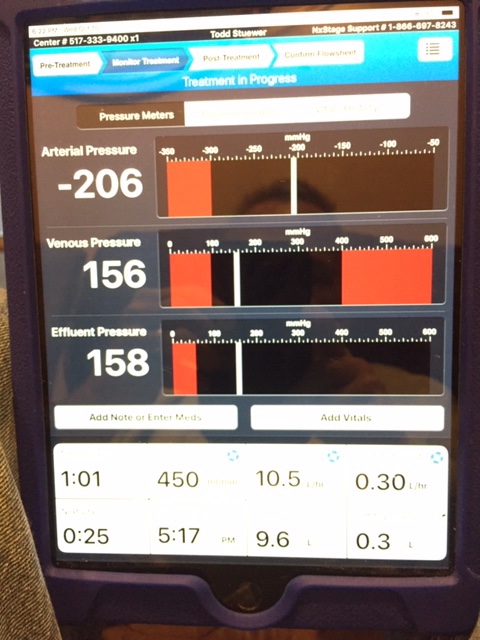
The new iPad was delivered by the dialysis center staff in a few more days. The NxStage iPad has the Nx2me application preloaded, and simply had to connect with the new NxStage router. The application is very easy to use, and automatically records all the details about treatment, including arterial, venus, and effluent pressures.
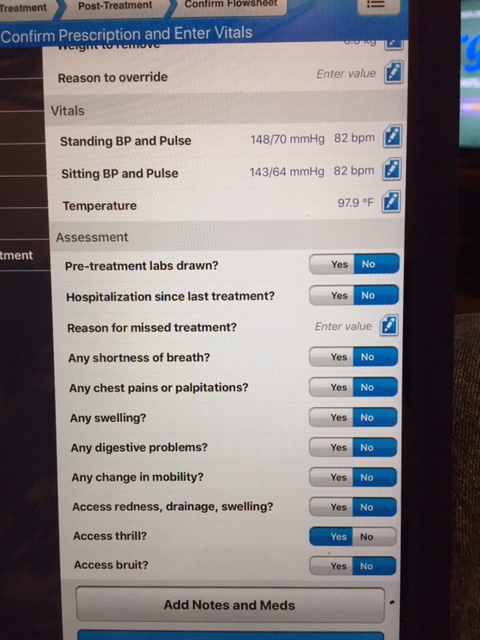
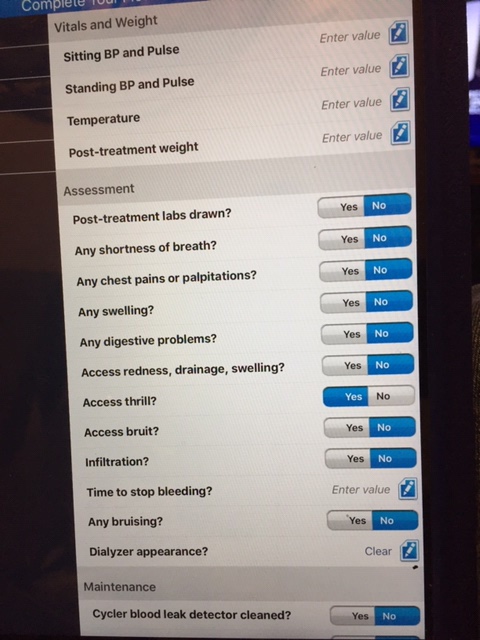
The application has screens for pre treatment information, a monitor treatment screen for all cycler information while you are dialyzing, and a post treatment screen for entering ending blood pressures, pulse, temperature, ending weight, in addition to many other items related to routine maintenance, labs, etc.
On the monitor treatment screen, there is also the ability to enter notes and medications. One difference I found from using paper flow sheets and the new Nx2me application is recording blood pressures while dialyzing. When using paper flow sheets I took my blood pressure during each 2 halt when the cycler performs checks. The first occurred after 15 minutes, then followed every 32 minutes (2 halts occur after 30 minutes, then 2 more minutes for checks and restart).
The new Nx2me application halts and requests a blood pressure check every 30 minutes, these checks no longer coincide with the 2 halts on the cycler.
One great improvement is the ability to view all three real time pressures for arterial, venus and effluent. During the times I had issues with either my arterial or venus portions of my fistula, I would have to adjust my needles to lower rising pressures. The cycler only shoes arterial, venus or effluent for a few seconds, then rotates through all the cycler displays. This makes it very difficult to properly adjust a problematic arterial or venus needle. The new Nx2me application shows all three pressures all the time, making this problem much easier to solve.
After using the new application for a few days, I really love the information it provides, it’s ease-of-use and the freedom from completing daily flow sheets and submitting them every month. The new application provides all the details about your dialysis treatment to your local dialysis center within moments of your completion of treatment.
Here a few pictures of the new equipment, and of the Nx2me application screens.
New NxStage router
New wireless device connected to the ConXbox on the cycler
Here is the pre treatment screen
Here is the monitor treatment screen from my last dialysis treatment
And here is the post treatment screen
The new application comes with a hardware implementation guide that is easy-to-read and follow. It also include a complete manual for the Nx2me application. This new application will provide more timely information about your dialysis treatments to your dialysis center, your doctor and nurses. It’s easier to use than paper flow sheets and saves me a great deal of time. It’s a really great upgrade, I hope that your dialysis center is providing this to you soon.
 My experiences with home hemodialysis using NxStage by Todd Stuewer
The iPad is great and it connects via bluetooth to a scale, thermometer and blood pressure cuff. The scale and BP cuff are A&D medical. The thermometers are by Pyle. Once you pair them, when you open the entry box where you would normally manually enter the values with those awful scroll wheels, it instead says waiting for results. You take your blood pressure (or step on the scale, etc) and the results populate.
LikeLike
Thanks for your comment Daniel. You are the first person I have known of that has used the Bluetooth connected measurement devices. I’m glad to hear that they are providing benefit for you.
LikeLike